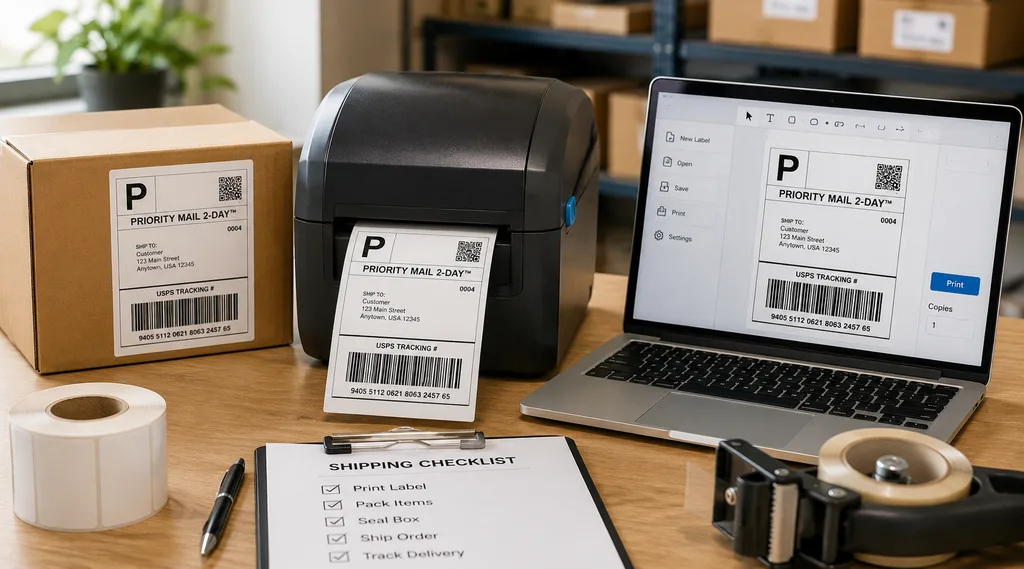
The fastest way to print shipping labels is to generate the label in your carrier or marketplace dashboard, send it straight to a 4×6 thermal printer loaded with pre-cut rolls, and print at 100% scale with no cutting and no tape. That setup removes the two slowest manual steps, cutting the sheet and taping it down, from every parcel you handle. Every other point below is a variation on the same idea: remove steps, remove consumables, remove reprints.
Speed problems in labeling are often material problems rather than printer problems. Labels curl, adhesive releases from cold corrugated, barcodes verify below the required grade, and someone prints the same parcel twice. Those failures trace back to the construction, which begins as Label Stock Jumbo Rolls long before it reaches your desk.
How to Easily Print Shipping Labels: The Fastest Way at Home
People who print shipping labels at home lose time in three places: the print scaling dialog, the scissors, and the tape. A Click-N-Ship label prints as a 4×6 image on a full 8.5×11 sheet, so every parcel needs cutting and taping. Removing that cut-and-tape step is the largest handling saving available to most home shippers.
A direct thermal desktop printer collapses those three steps into one. It pulls a pre-cut label off the roll, forms the image with heat, and stops at the die-cut gap. No ink, no toner, no drying time.
A minimal home setup that works:
- A 4×6 direct thermal label printer (203 dpi is commonly sufficient for standard shipping barcodes)
- Blank 4×6 direct thermal labels on a 1 inch core
- Print settings locked to “Actual Size” with the correct stock selected
- An account that outputs a 4×6 PDF or ZPL file
How to Print Shipping Labels USPS Will Accept
To print shipping labels USPS scanners read reliably, use Click-N-Ship, which USPS states requires only a free USPS.com account, a computer, and a standard printer. It covers Priority Mail, Priority Mail Express, USPS Ground Advantage, and international services. USPS recommends a laser or high quality inkjet at 600 DPI, with Adobe Acrobat Reader installed and pop-up blockers off.
The label prints at approximately 4 by 6 inches, and Click-N-Ship places two per page when no customs form is attached. Self-adhesive label sheets are the option USPS recommends for sheet-fed printers. Postage is paid at label creation, so a wasted print is wasted money unless you request a refund.
Practices that reduce rejected or unreadable labels:
- Print at 100% scale rather than “fit to page”
- Keep tape and shrink wrap out of the barcode quiet zone
- Avoid folding a label around a box edge across the barcode
- Avoid taping over direct thermal face paper, since heat and some solvents can darken the coating
How to Print Shipping Labels for Free
You can print shipping labels for free in the sense that the label creation tools cost nothing, though postage is always paid. USPS provides the account and Click-N-Ship access at no cost, includes tracking with Priority Mail, and does not charge for Package Pickup scheduling. USPS also supplies Priority Mail packaging free of charge.
The second free route is printing at the counter instead of at home. USPS Label Broker lets you bring a QR code to a participating Post Office and have the label printed at no charge. Marketplace dashboards that generate labels in-platform also add no printing cost.
- No cost: USPS.com account, Click-N-Ship access, Label Broker printing, Priority Mail supplies, tracking
- Paid: postage, label stock, printer hardware, and Label Delivery Service, listed by USPS at $1.65 per label at the time of writing
Carrier pricing changes. Confirm current fees on usps.com before quoting them internally.
Where to Print Shipping Labels Near Me Without a Printer
If you are searching for somewhere to print shipping labels near me, Label Broker is the most direct route for eligible USPS shipments. You generate a Label Broker ID, presented as a QR code or an 8 to 10 character code, and bring it with your sealed package to a participating location. USPS prints the label at no charge, and per its own FAQ the label is designed to be affixed to the package at the retail window.
When no location is convenient, USPS Label Delivery Service mails a printed label to your address for a per-label fee. That trades money for time, which suits occasional returns rather than a working sales channel. Shippers with steady weekly volume generally find a thermal printer easier to justify than repeated counter trips.
Direct Thermal or Thermal Transfer: Decide Before You Buy Stock
Direct thermal uses a heat-sensitive coating on the face paper, so it needs no ribbon and no ink. That is a large part of why it is so widely used in parcel shipping. The trade-off is permanence, because the coating that reacts to a printhead also reacts to heat, sunlight, and friction.
Thermal transfer melts pigment from a thermal transfer ribbon onto the facestock, which generally produces a more durable image. Wax ribbons are commonly paired with coated paper for general logistics, while resin ribbons are selected for synthetic films where chemical and abrasion resistance matter. Both coating routes are applied to Label Stock Jumbo Rolls upstream, so the decision is effectively locked in before slitting.
| Factor | Direct Thermal | Thermal Transfer |
|---|---|---|
| Ribbon required | No | Yes |
| Typical image life | Shorter | Longer |
| Heat and UV tolerance | Lower | Higher |
| Commonly selected for | Domestic parcels, returns | Cold chain, industrial, outdoor |
Comparative and indicative only. Actual performance varies by construction, ribbon, and exposure, and should be confirmed against the supplier’s technical data sheet.
Not sure which coating fits your service life? Talk to Vizlent’s material team before committing to a print method.
Shipping Label Size and Printer Resolution
The 4×6 inch label, roughly 100 by 150 mm, is the default shipping label size across USPS, UPS, FedEx, and DHL. Staying on it keeps your file, your driver, and your carrier template in agreement. Deviating from it is a frequent cause of scaled, rotated, or cropped prints.
Printer resolution matters less than many buyers assume. 203 dpi is commonly sufficient for standard shipping labels, while 300 dpi can benefit smaller text, graphics, and tighter barcode dimensions. Check the smallest element on your label artwork before assuming you need the higher resolution.
Why Label Stock Jumbo Rolls Are the Real Cost Lever
As shipping volume grows, converted label cost stops being a rounding error on the invoice. Every stage of conversion adds handling, waste, and margin, which moves the economics upstream toward the parent material. Buying closer to the source is one way fulfillment operations reduce material cost without downgrading the construction.
Label Stock Jumbo Rolls are wide master reels of pressure-sensitive labelstock, built from facestock, adhesive, and release liner, that are typically slit into narrower finished reels. A converter slits them to web width, die-cuts the shape, strips the matrix, and rewinds. If you run or partner with a converting line, raw label material at jumbo width is where the material economics are actually decided.
What a Jumbo Roll Actually Contains
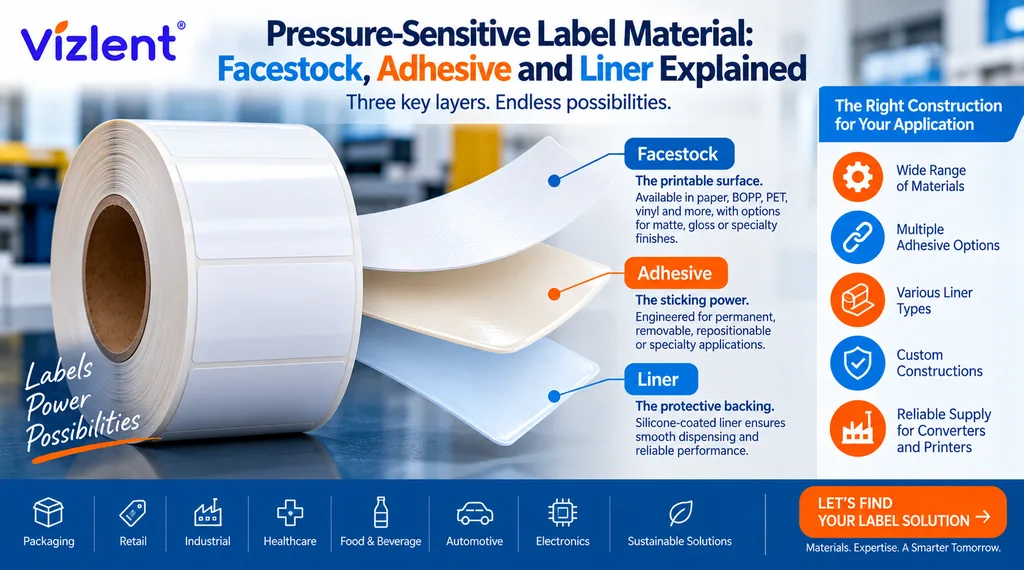
A pressure-sensitive laminate is a sandwich of three engineered layers rather than a sheet of paper. The facestock carries the print, the adhesive holds the label to the substrate, and the silicone-coated liner protects the adhesive until application. Change any one layer and the finished label runs, prints, and performs differently.
The construction options inside Label Stock Jumbo Rolls are wider than most converted-roll catalogues expose. Facestock can be thermal paper, semi-gloss, matte litho, PET, BOPP, or vinyl, and self-adhesive material should be specified for the surface being labeled. Liner choice, glassine or PET, influences dispensing behaviour on automated applicators.
- Facestock: direct thermal paper, semi-gloss, PET, BOPP, vinyl
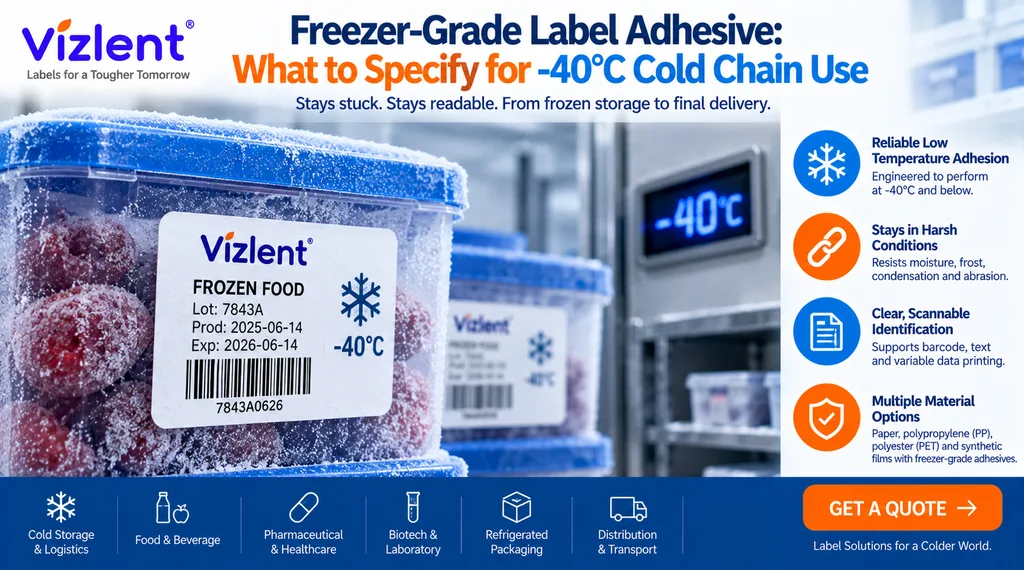
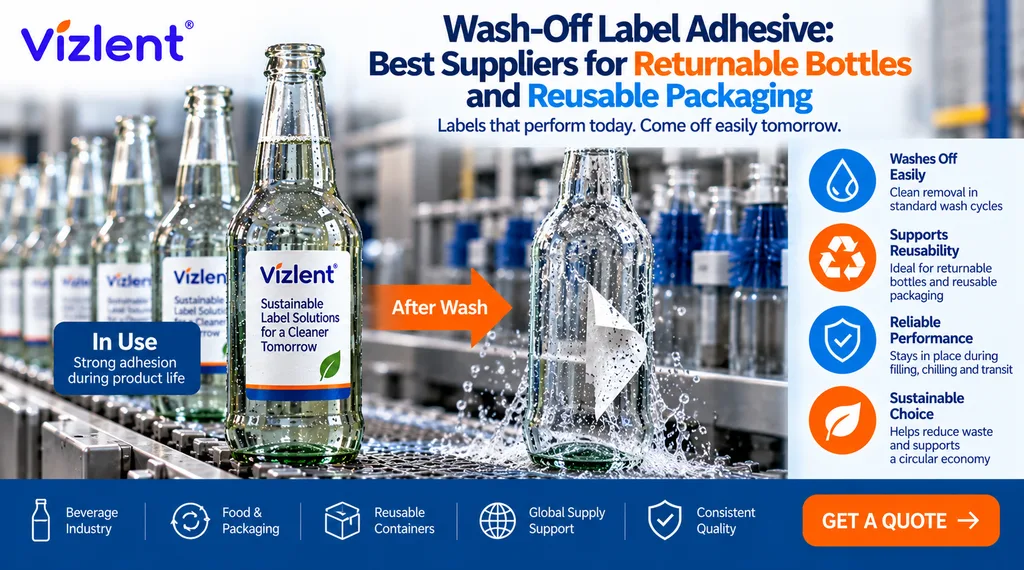
- Adhesive: permanent, removable, freezer-grade, and wash-off describe adhesive functions, but they do not replace construction-specific performance data
- Liner: glassine, kraft, or PET, selected partly for dispensing speed
- Typical widths: many commercial jumbo rolls are produced around 1,000 to 1,300 mm wide, depending on the coating line and construction
When Buying at Jumbo Width Makes Sense
Buying Label Stock Jumbo Rolls only pays off when you have somewhere to convert them. That means a slitter-rewinder and a die-cutting station, or a converting partner willing to run your material. Without either, you are buying inventory you cannot use.
The deciding factor is consumption and capacity, not ambition. Operations with substantial, predictable label consumption and access to converting capacity are the natural candidates for Label Stock Jumbo Rolls. Without both, finished rolls from a converter are often cheaper once waste, storage, labour, and setup time are counted.
Shipping at scale? Request a jumbo roll specification and sample sized to your slitting equipment.
Adhesive Choice Decides Whether Labels Stay On
A label that falls off is worse than a label that is never printed, because the parcel is now untraceable. Corrugated board is porous and often heavily recycled, which frequently calls for an adhesive with strong initial tack rather than one optimised for ultimate bond. Polyethylene polybags, polypropylene containers, powder-coated metal, and textured plastics can all present challenging surfaces for standard adhesive constructions.
Application temperature catches many shippers out. Applying an adhesive below its specified minimum application temperature can produce poor initial wet-out and premature failure, even where the label looks properly attached on the bench. Low temperature label material and outdoor weather resistant constructions are coated onto Label Stock Jumbo Rolls for those service conditions.
- Recycled corrugated: constructions offering strong initial tack
- Low surface energy plastics: adhesives formulated for LSE substrates
- Frozen goods: freezer-grade constructions, verified against the stated application temperature
- Returns and reuse: removable constructions tested on your actual substrate
Barcode Quality: The Silent Cause of Slow Fulfillment
Barcode print quality for linear symbols is assessed under ISO/IEC 15416, currently the 2025 edition, which superseded the 2016 edition. The methodology produces an overall symbol grade on a scale running from 4.0 (A) down to 0.0 (F). Some supply-chain specifications use grade C or higher as an acceptance threshold, but the grade you must meet should follow the applicable customer or industry specification.
Several material variables influence the result alongside the printer. Face smoothness affects edge definition, opacity affects contrast, and coating chemistry affects how well the image survives handling. Poorly matched Label Stock Jumbo Rolls can yield converted labels that verify acceptably on day one and drop a grade before they reach a sortation scanner.
- Verify sample rolls on a barcode verifier rather than a handheld scanner alone
- Re-check grades after conditioning samples at the temperatures your parcels actually see
- Match print darkness and speed to the facestock rather than the driver default
A Seven-Step Setup for Faster Batch Printing
At a hundred labels the bottleneck is rarely print speed, since many desktop thermal printers run in the range of 4 to 6 inches per second. The bottleneck is usually file handling, batching, and reloading. Addressing those three turns a hundred-label run into a largely uninterrupted pass.
Batching also protects your postage, because a jam midway through a hundred single prints costs more to unpick than a jam in a queued batch you can restart. Configure the printer once, then leave the settings alone. Every driver change made mid-run is another opportunity to reprint paid postage.
- Install the manufacturer driver rather than a generic one
- Set stock size to 4×6 and calibrate the gap sensor on a blank roll
- Lock scaling to “Actual Size” in both the browser and the PDF reader
- Batch orders into a single multi-page label file
- Load a roll with enough labels to complete the run without a reload
- Print the batch, then match labels to parcels in one sweep
- Scan-verify a random sample before sealing the pallet
Mistakes That Quietly Slow Every Shipment
A costly habit is buying label rolls on price per thousand with no specification attached. Two rolls at the same price can differ in caliper, adhesive coat weight, and liner strength, and the weaker construction tends to jam more often. That cost rarely appears on the invoice, only in reprints and rework.
A second habit is treating direct thermal as universal. It suits parcels scanned within a short handling window and performs poorly where labels face sunlight, heat, or abrasion. Converters who buy Label Stock Jumbo Rolls without confirming end-use conditions inherit the same problem at far greater scale.
- Printing on plain paper and taping, which adds a manual cut-and-tape step to every parcel
- Skipping gap sensor calibration after a stock change
- Storing rolls outside the supplier’s stated temperature and humidity conditions, for example near heaters or windows
- Running a single adhesive across corrugated, polybags, and frozen goods
How to Vet a Label Material Supplier
Ask for a technical data sheet before you ask for a price, because the data sheet is what makes a claim checkable. It should state facestock caliper, adhesive type, minimum application temperature, service temperature range, shelf life, and liner construction. A supplier who cannot provide those figures is unlikely to be controlling the construction themselves.
Run a paid sample on your printer, with your boxes, in your warehouse conditions. Suppliers of Label Stock Jumbo Rolls should be willing to send slit sample reels at your web width for exactly this purpose. Vizlent Label supports that sampling process across durable label and logistics constructions.
Questions worth asking every supplier:
- What is the adhesive minimum application temperature?
- What liner do you use, and at what caliper?
- Can you supply my slitting width and core size?
- What shelf life and storage conditions do you specify for this construction?
- What is your lead time on jumbo width versus converted rolls?
- Can you provide barcode grade test data on the facestock?
Fix the Material, Not Just the Printer
Fast label printing is a sourcing decision that starts well before the printhead. Match the coating, the adhesive, and the roll format to the application and most throughput problems stop recurring. Get one of them wrong and a printer upgrade rarely rescues the numbers.
Vizlent manufactures pressure-sensitive label materials for logistics, cold chain, industrial, and security applications, supplied as converted rolls or as Label Stock Jumbo Rolls for converting partners. Sample reels are available at your slitting width and core size.
- Request a quote or sample for your label construction
- Browse logistics and e-commerce label materials
- Explore thermal transfer ribbons for durable-image applications
Frequently Asked Questions
Can I print shipping labels at home without a thermal printer?
Yes, a standard inkjet or laser printer with plain paper or self-adhesive label sheets works. USPS Click-N-Ship formats a roughly 4×6 label onto an 8.5×11 sheet and recommends 600 DPI output with Adobe Acrobat Reader. You cut the label out and tape it down, keeping tape clear of the barcode.
How do I print shipping labels for free with no printer at all?
Use the USPS Label Broker feature, which prints your label at no charge at participating Post Office locations. You generate a Label Broker ID, shown as a QR code or an 8 to 10 character code, and bring it with your sealed package. USPS states the label is designed to be affixed to the package at the retail window, and postage is still paid at label creation.
What is the standard shipping label size?
The standard shipping label size is 4 by 6 inches, roughly 100 by 150 mm, and it is accepted by USPS, UPS, FedEx, and DHL. Most desktop thermal shipping printers are built around that format and major marketplaces export to it. Staying on 4×6 reduces scaling errors, cropped barcodes, and rotated prints.
Is direct thermal or thermal transfer better for shipping labels?
Direct thermal suits most domestic parcels because it needs no ribbon, no ink, and no drying time. Thermal transfer is generally selected where the label must resist heat, sunlight, abrasion, or extended storage, since the image is transferred pigment rather than a heat-reacted coating. Decide the coating before buying stock, because it cannot be changed afterwards.
What are Label Stock Jumbo Rolls and who buys them?
They are wide master reels of pressure-sensitive labelstock made up of facestock, adhesive, and release liner. Converters and label manufacturers buy them, then slit, die-cut, and rewind them into the finished rolls end users load into printers. Businesses without slitting and die-cutting capacity generally buy finished rolls instead.
Why do my labels keep falling off boxes?
Labels commonly fail because the adhesive was not matched to the substrate or to the application temperature. Recycled corrugated generally calls for strong initial tack, low surface energy plastics call for an LSE-specific adhesive, and cold-room application calls for a freezer-grade construction. Checking the minimum application temperature on the technical data sheet resolves many cases.
How many 4×6 labels fit on one roll?
A 1 inch core roll at 4 inch outside diameter commonly holds in the region of 220 to 250 4×6 labels, though the exact count depends on liner and facestock caliper. Larger core and diameter formats used on industrial and print-and-apply lines hold considerably more. Confirm the label count and your printer’s maximum roll diameter with the supplier before ordering.