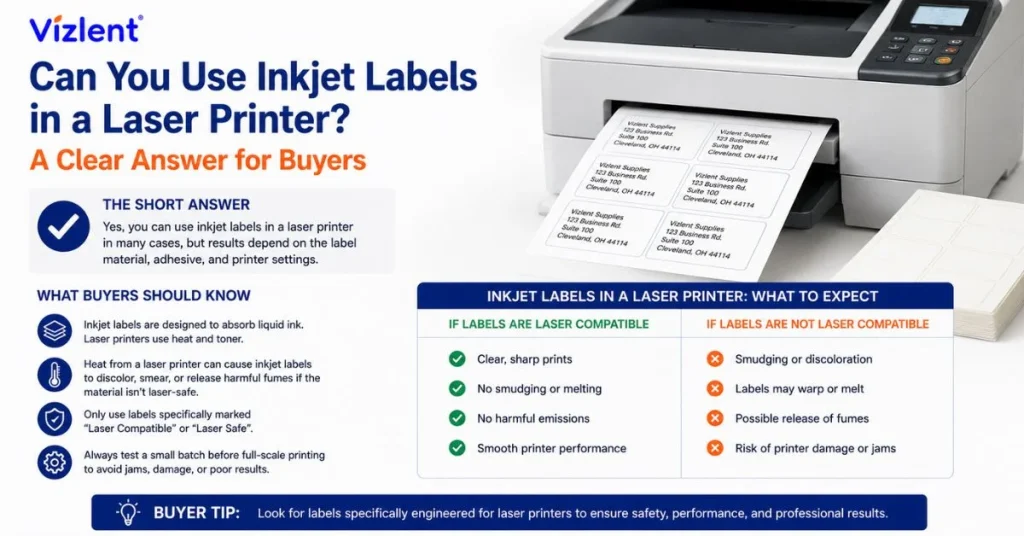
NO, you should not use inkjet labels in a laser printer. The label coating and adhesive are not built for the high heat, which can melt the glue and ruin your machine. Inkjet label stock is designed around liquid ink and a porous, heat-sensitive surface, while a laser printer bonds dry toner with rollers that reach roughly 180 to 200 degrees Celsius. That heat can soften the coating, loosen the adhesive, and cause labels to peel inside the machine, so matching the label to the printer protects both your print job and your hardware.
Need label stock matched to your exact printer and application? Talk to the Vizlent team for factory-direct guidance before your next order.
Can You Use Inkjet Labels in a Laser Printer Safely?
Inkjet and laser printers place ink on a page in completely different ways, and that difference decides label compatibility. An inkjet sprays tiny droplets of liquid ink that soak into a porous, coated surface, so inkjet labels are made to absorb and hold that ink. A laser printer fuses dry toner powder onto the sheet using a heated roller, which calls for a smooth, heat-stable face stock instead.
When you ask whether you can use inkjet labels in a laser printer, the honest answer stays the same across brands and sheet sizes. The inkjet coating is tuned for ink absorption, not heat resistance, so passing it through a fuser invites curling, smearing, and adhesive transfer onto internal rollers. Using inkjet labels in laser printer trays may work for a sheet or two, yet the risk of a melted label and a service call climbs with every page.
The only safe exception is a label printed clearly as compatible with both printer types. Some manufacturers heat-test a universal stock so it survives a fuser while still accepting ink, and that dual rating is stated on the box. Without that explicit label, treat any inkjet sheet as inkjet-only and reach for laser-rated stock instead.
Why Inkjet Labels Struggle With Laser Heat
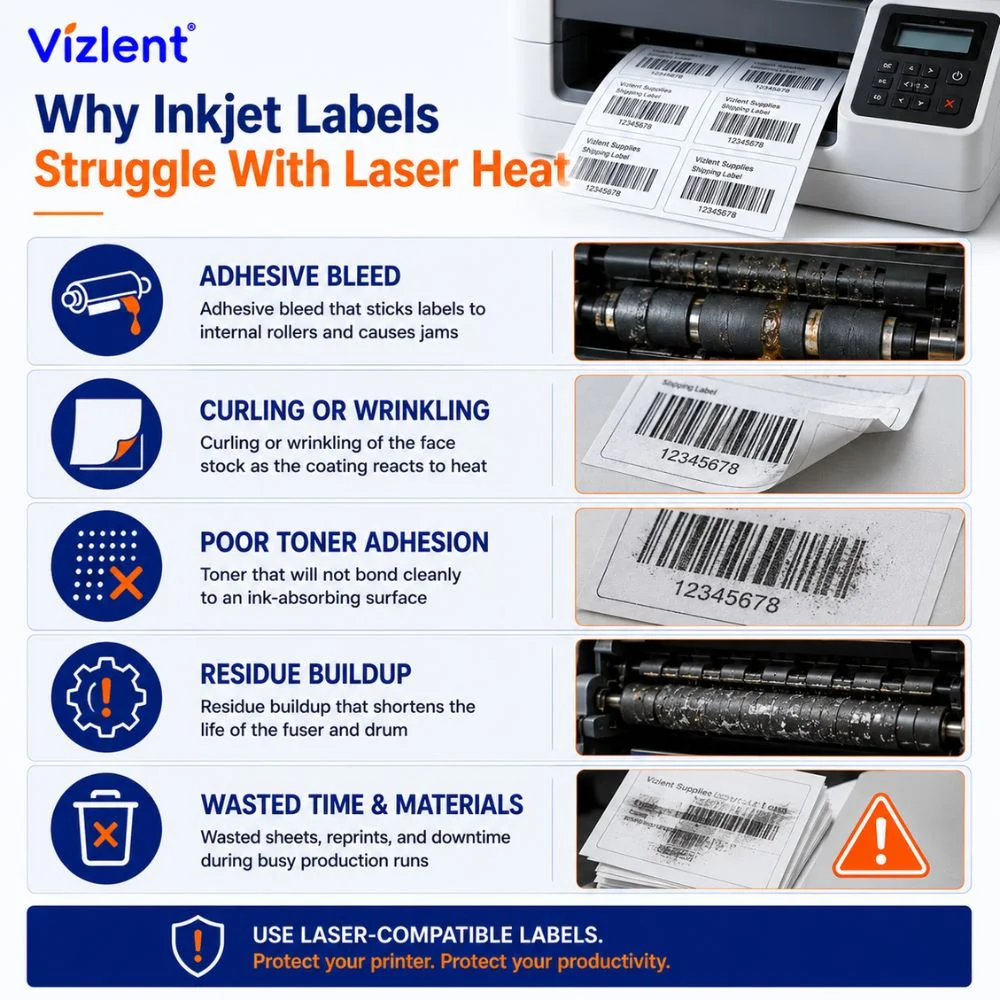
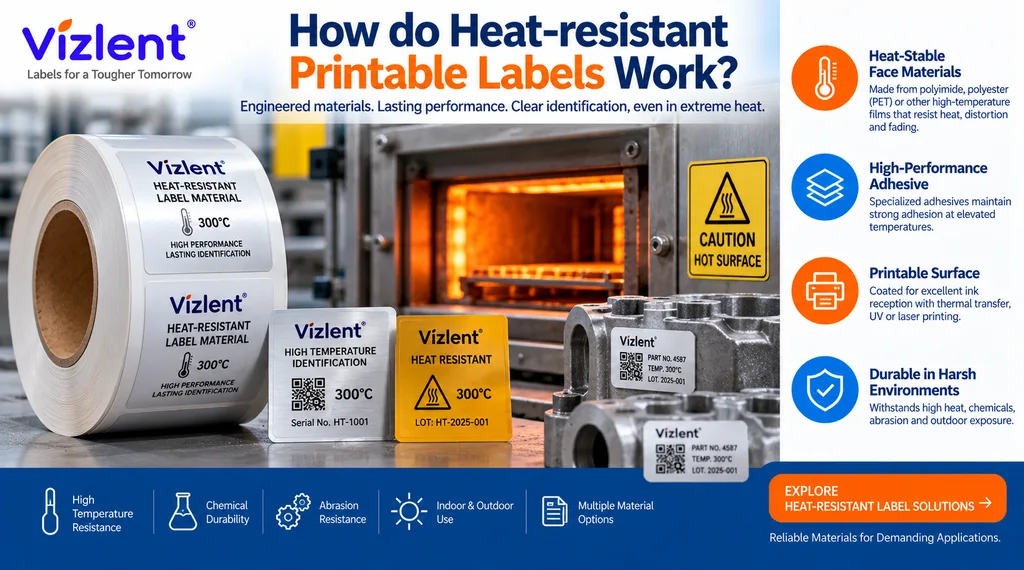
The core issue is temperature, and it explains nearly every failure people report. Inkjet label stock relies on a quick-drying topcoat and an adhesive rated for room-temperature handling, not for a trip through a fuser. Laser heat can melt that adhesive, warp the face stock, and leave residue that fouls the drum and rollers.
These are the most common problems when inkjet labels meet laser heat:
- Adhesive bleed that sticks labels to internal rollers and causes jams
- Curling or wrinkling of the face stock as the coating reacts to heat
- Toner that will not bond cleanly to an ink-absorbing surface
- Residue buildup that shortens the life of the fuser and drum
- Wasted sheets, reprints, and downtime during busy production runs
Each of these traces back to one mismatch between material and machine. The label was engineered for a cold, wet printing process, then asked to survive a hot, dry one. That is why the question of whether you can use inkjet labels in a laser printer ends with a clear recommendation against it.
Temperature is the deciding factor, and the numbers make the gap obvious. A laser fuser commonly runs between 180 and 200 degrees Celsius to bond toner in a fraction of a second. Inkjet adhesives and coatings are formulated for handling at room temperature, so they have no reason to tolerate that kind of sustained heat.
The damage is not always visible on the first sheet, which is what fools people. A few labels may pass through looking fine while the adhesive slowly transfers to internal parts. By the time jams or streaks appear, the residue has often built up enough to require cleaning or a service visit.
What About Inkjet Paper and Photo Paper in a Laser Printer?
The same heat logic applies to plain inkjet paper and to glossy inkjet photo paper. People often ask, can you put inkjet paper in a laser printer, and the safe answer is to avoid it for coated or specialty grades. Standard uncoated office paper is usually fine in both machines, since it has no heat-sensitive coating to react.
Running inkjet paper in a laser printer becomes risky once a glossy or resin coating enters the picture. Inkjet photo paper in a laser printer is the clearest example, because its glossy coating can soften, bubble, or stick to the fuser. If a sheet carries a special inkjet coating for ink absorption, treat it as inkjet-only and keep it out of the laser path.
A quick way to judge any sheet is to feel the surface and read the packaging. Matte, uncoated paper without a printer rating is usually safe in either machine, while a slick, glossy face signals an inkjet coating. When the label or wrapper names a printer type, follow it, since the maker tested the stock for that exact process.
Can You Use Avery Inkjet Labels in a Laser Printer?
Avery makes separate product lines for each printer type, and that separation exists for a reason. People ask, can I use Avery inkjet labels in a laser printer, and the manufacturer’s guidance points to the same heat limits described above. Avery inkjet labels in laser printer trays carry the same melt and jam risk as any other inkjet stock.
The reliable path is to read the box and match the label to the machine. If the package says inkjet, run it through an inkjet, and if it says laser, run it through a laser. Whenever a product is labeled inkjet and laser compatible, the maker has heat-tested it, so that dual rating is the only safe exception to the rule.
Can You Use Laser Labels in an Inkjet Printer Instead?
Reversing the question helps many buyers understand the trade. Laser labels use a smooth, sealed surface meant to hold dry toner, which does not absorb liquid ink well. So if you try inkjet printing on laser labels, the ink can sit on top, smear, and take a long time to dry.
Address labels are where this mix-up happens most often in offices. People ask, can you use inkjet address labels in a laser printer, and the answer follows the heat rule once more, since inkjet address sheets are coated for ink absorption. The good news is that you can print labels on a laser printer reliably as long as the sheets are laser-rated.
Sourcing in volume and unsure which face stock fits your press or office printer? Explore Vizlent printable sticker and label stock built for inkjet, laser, and thermal workflows.
Inkjet Labels vs Laser Labels: The Real Difference
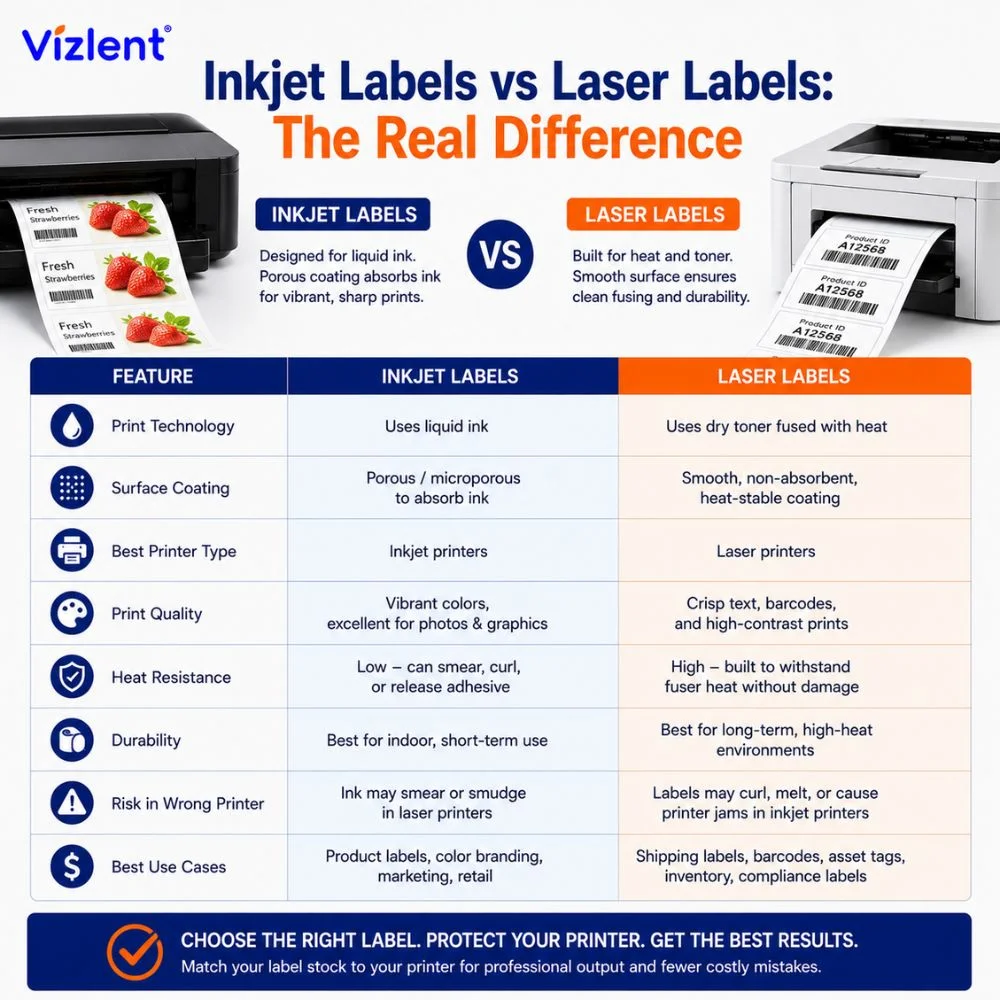
The inkjet labels vs laser debate comes down to how each material handles ink and heat. Inkjet stock has a porous, often microporous coating that pulls liquid ink in for sharp, fast-drying color. Laser stock has a smooth, heat-stable surface that lets dry toner fuse without curling or releasing adhesive.
Understanding the differences between inkjet labels in a laser printer difference protects your equipment and your output. The table below lays out the properties that matter most when you choose between the two. Use it as a quick reference before any bulk print run or wholesale order.
| Property | Inkjet Label Stock | Laser Label Stock |
|---|---|---|
| Heat tolerance | Low, coatings soften under heat | High, built for fuser heat |
| Surface coating | Porous, absorbs liquid ink | Smooth, holds dry toner |
| Adhesive rating | Room-temperature use | Stable through the fuser |
| Safe printer match | Inkjet only | Laser and copier |
| Jam and melt risk in a laser | High | None by design |
Inkjet Labels in a Laser Printer in Different Colors and Double-Sided
Color and finish add a final wrinkle that catches many buyers off guard. Some shoppers search for inkjet labels in a laser printer of different colors, expecting the same vivid output an inkjet delivers. Colored or heavily coated inkjet faces react unpredictably to fuser heat, so the finish can scorch, dull, or lift during the run.
It helps to understand why color output differs between the two systems. Inkjet printers blend liquid inks for smooth gradients on absorbent stock, while laser printers fuse toner that sits differently on a sealed surface. A label coated for inkjet color will not reproduce those tones faithfully under toner, which is another reason to keep each material with its matching printer.
Two-sided jobs raise the stakes even further because heat hits the stock twice. Running inkjet labels in a laser printer, double-sided, sends each sheet through the fuser on both passes, doubling the chance of adhesive bleed and curl. For colored and double-sided work alike, laser-rated stock stays the dependable choice, since it is engineered to hold its finish through repeated heat cycles.
What Happens If You Already Ran Inkjet Labels Through a Laser?
Mistakes happen, and one stray sheet is rarely a disaster if you act quickly. If you suspect a label peeled inside the machine, stop printing and let the unit cool before opening any panels. A single melted label often clings to the fuser or a roller, where it hardens and causes streaks or jams on later jobs.
Careful inspection usually tells you how bad the situation is. Look for adhesive residue, stuck label fragments, or warped sheets in the paper path, and remove what you can reach by hand. Stubborn residue on the fuser may need a service technician, which is exactly the cost the inkjet versus laser match is meant to avoid.
Sourcing Label Stock From a Manufacturer Who Knows the Difference
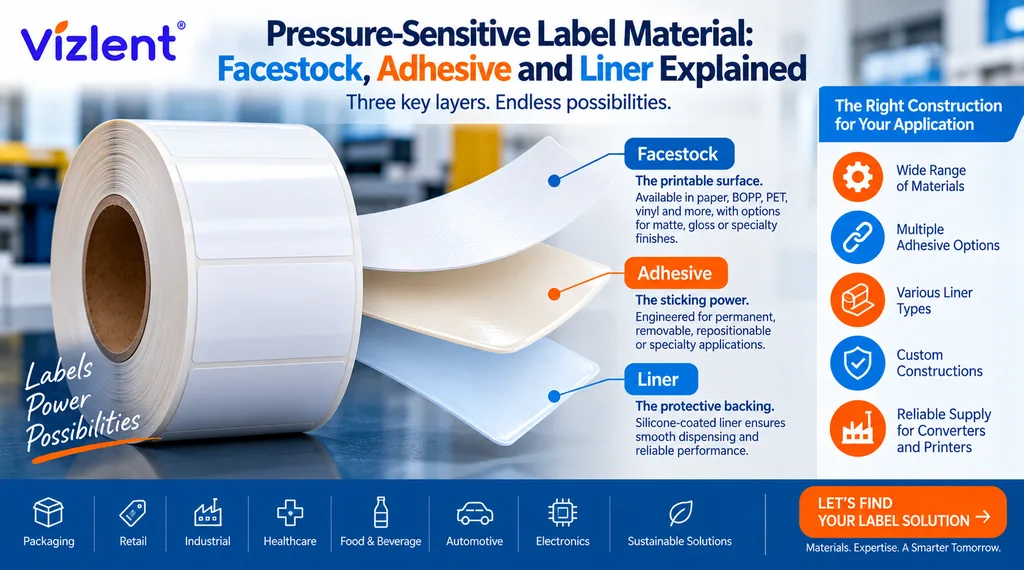
Retail multipacks rarely explain the heat science behind their ratings. A dedicated manufacturer designs the face stock, adhesive, and topcoat together, so the finished label matches a specific printer and use. That control is what separates a reliable run from a tray full of curled, smeared, or jammed sheets.
Factory-direct sourcing also opens the door to materials built for tough conditions. Beyond standard office labels, specialty grades handle chemicals, static, cold storage, and high-speed converting without losing adhesion. Buying from a maker who understands the printer match means the label is right before it ever reaches your machine.
How to Choose the Right Label Stock the First Time
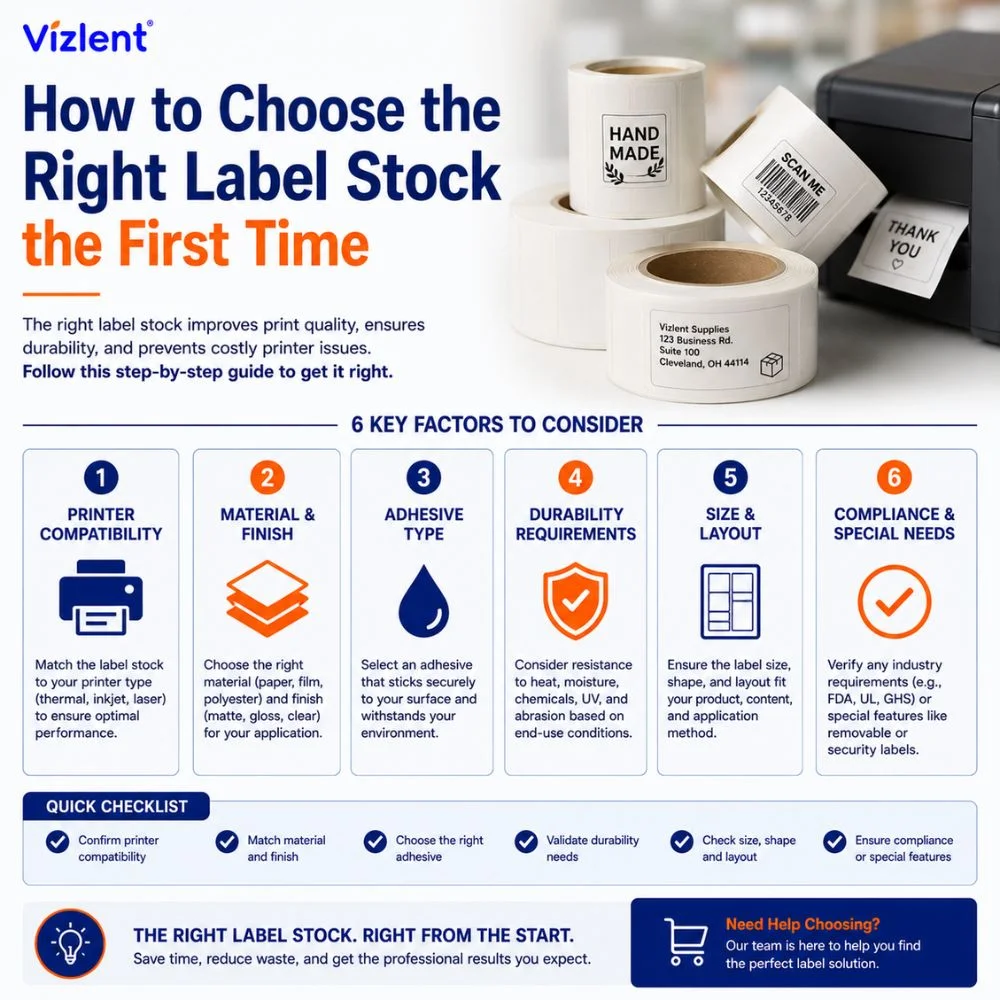
Matching labels to printers is simple once you know what to check. Start with the printer type, confirm the label rating on the packaging, and consider the surface and conditions the label will face. A few seconds of checking prevents jams, reprints, and damaged hardware down the line.
The payoff of getting this right shows up in every metric that matters. Clean prints, fewer jams, longer printer life, and labels that stay stuck where you put them all follow from one good decision. Treat the printer match as the first step of the job rather than an afterthought, and the rest of the run takes care of itself.
Use this quick checklist before you load any sheet:
- Confirm your printer type, inkjet or laser, before buying
- Read the label box for an inkjet, laser, or dual-compatible rating
- Match the adhesive to the surface and storage temperature
- For demanding or industrial uses, choose a specialty stock such as chemical resistant label stock or anti-static label stock
- For deep-cold tracking, use purpose-built cryogenic label stock rated for the temperature
When a job sits outside standard office use, a manufacturer can match the material to the task. That is where factory-direct sourcing pays off, since the face stock, adhesive, and topcoat can be tuned to your printer and environment. Getting the pairing right the first time saves money on every run that follows.
Order Label Stock That Matches Your Printer
Choosing the right material is the difference between a clean run and a melted mess. Vizlent manufactures label stock for inkjet, laser, and thermal workflows, with custom face stocks, adhesives, and finishes for any application. Tell the team your printer type and use case, and the right stock gets matched to the job.
Request a factory-direct quote from Vizlent or browse adhesive sticker paper options to get started today.
Frequently Asked Questions
Can inkjet labels be used in a laser printer?
No, inkjet labels are not recommended for laser printers. Their coating and adhesive are rated for room-temperature inkjet use, so a laser fuser can melt the adhesive, warp the sheet, and cause jams. Choose laser-rated or dual-compatible labels for laser machines.
Can I use inkjet labels in a laserjet printer?
It is not safe to use inkjet labels in a LaserJet printer. LaserJet models use the same fuser heat as other laser printers, so inkjet coatings and adhesives face the same melt and jam risk. Use labels marked laser compatible instead.
Can I use inkjet paper in a laser printer?
Plain uncoated inkjet paper is usually fine in a laser printer, but coated or glossy inkjet paper is not. The special coating can soften and stick to the fuser. When in doubt, use paper rated for laser or for both printer types.
Can you put inkjet photo paper in a laser printer?
No, you should not put inkjet photo paper in a laser printer. Its glossy coating is built to absorb liquid ink and can bubble, melt, or stick to the hot fuser. Use photo paper made specifically for laser printers if you need glossy laser output.
Can you use Avery inkjet labels in a laser printer?
Avery inkjet labels are made for inkjet printers, not laser printers. Avery designs separate inkjet and laser lines because of heat differences, so an inkjet sheet can fail in a laser machine. Pick the Avery line that matches your printer, or a dual-rated option.
Can you use laser labels in an inkjet printer?
Laser labels are not ideal for inkjet printers. Their smooth, sealed surface is built to hold dry toner and does not absorb liquid ink well, so the print can smear and dry slowly. Use inkjet-rated labels in an inkjet printer for crisp results.
What is the inkjet labels vs laser difference?
The main difference is surface and heat handling. Inkjet labels have a porous coating that absorbs liquid ink, while laser labels have a smooth, heat-stable surface that holds fused toner. Matching the label type to your printer prevents smearing, jams, and melted adhesive.
Can you print labels on a laser printer?
Yes, you can print labels on a laser printer when you use laser-rated label sheets. These sheets are built with heat-stable face stock and adhesive that survive the fuser. Always confirm the box says laser compatible before loading the tray.