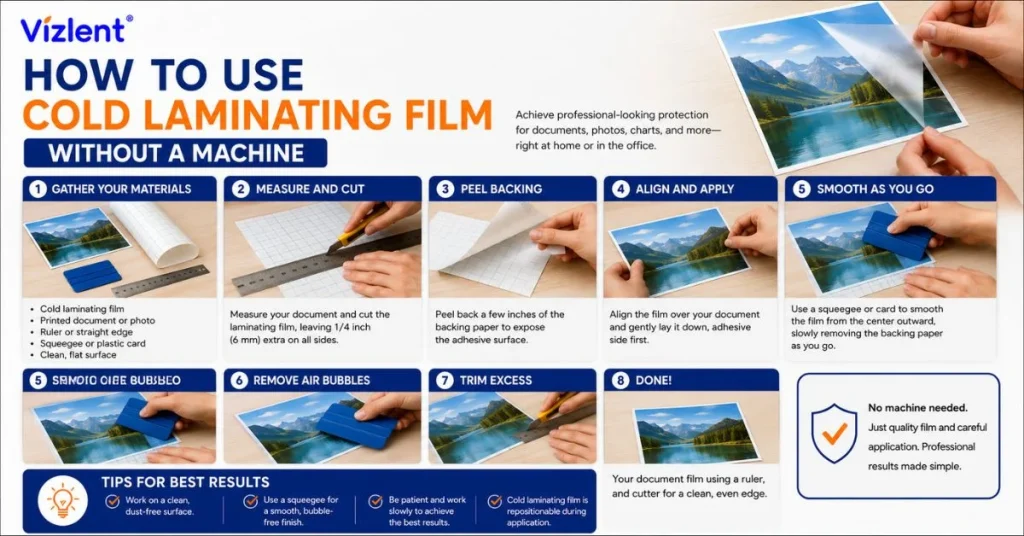
To use cold laminating film without machine, peel back part of the release liner, line up the film over your document, and press it down slowly with a flat tool while removing the liner as you go. Cold laminating film uses a pressure-sensitive adhesive that needs no heat, so a credit card, ruler, or squeegee supplies all the pressure required. Working from one edge to the other and smoothing as you go keeps the surface clear of bubbles and wrinkles.
Need self-adhesive cold film in rolls or sheets for hand application? Request a factory-direct quote from Vizlent for cold laminating film matched to your project.
What Is Cold Laminating Film?
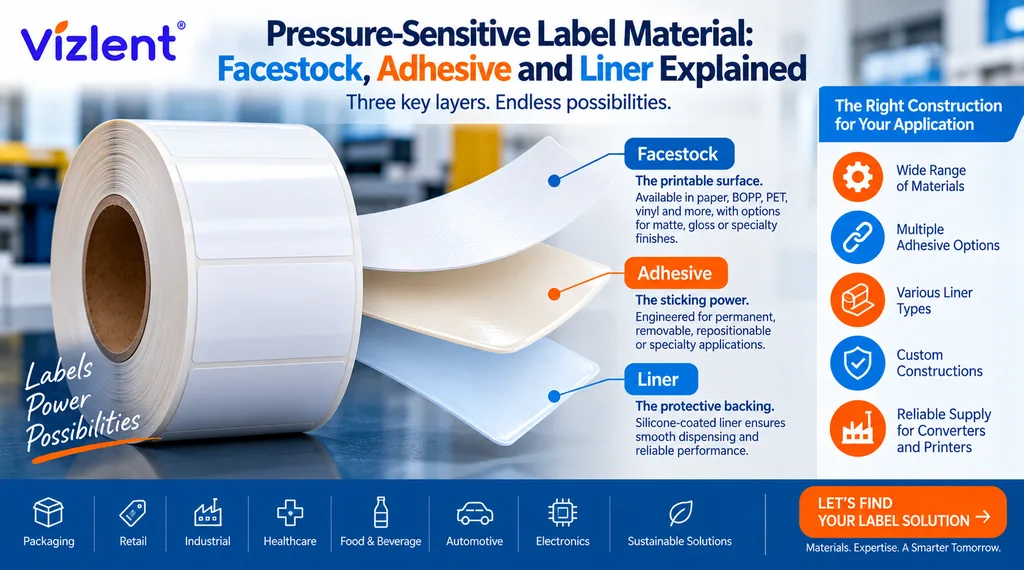
What is cold laminating film comes down to one feature: it sticks with pressure, not heat. It is a clear, self-adhesive film with a peel-off release liner protecting the sticky side. Because it needs no heat to bond, it protects items that heat would damage, such as inkjet prints, photos, and vinyl.
This makes cold film the natural choice for hand application. The adhesive is always active under the liner, so pressing the film down is all it takes to seal a document. That is the core reason you can apply it cleanly without any laminator at all.
Cold film also brings advantages beyond convenience. It protects against moisture, fingerprints, and scuffing, and it adds a clear gloss or matte layer that lifts the look of a printed piece. Since it skips heat entirely, it never risks the warping or colour shift that can affect heat-sensitive prints in a hot laminator.
Can I Use Cold Laminating Film Without a Machine?
Yes, and the question can I use cold laminating film without a machine has a simple answer: the film is designed for it. Self-adhesive cold film was made to apply by hand, with or without a laminator, using only steady pressure. A roll laminator speeds up large jobs, but it is never required for the film to work.
Hand application is well-suited to small and one-off projects. Signs, photos, ID cards, labels, and craft pieces all laminate cleanly with simple tools. The trade-off is that very large or high-volume work goes faster through a machine, while everything else is easier by hand.
Preparing Your Document and Workspace First
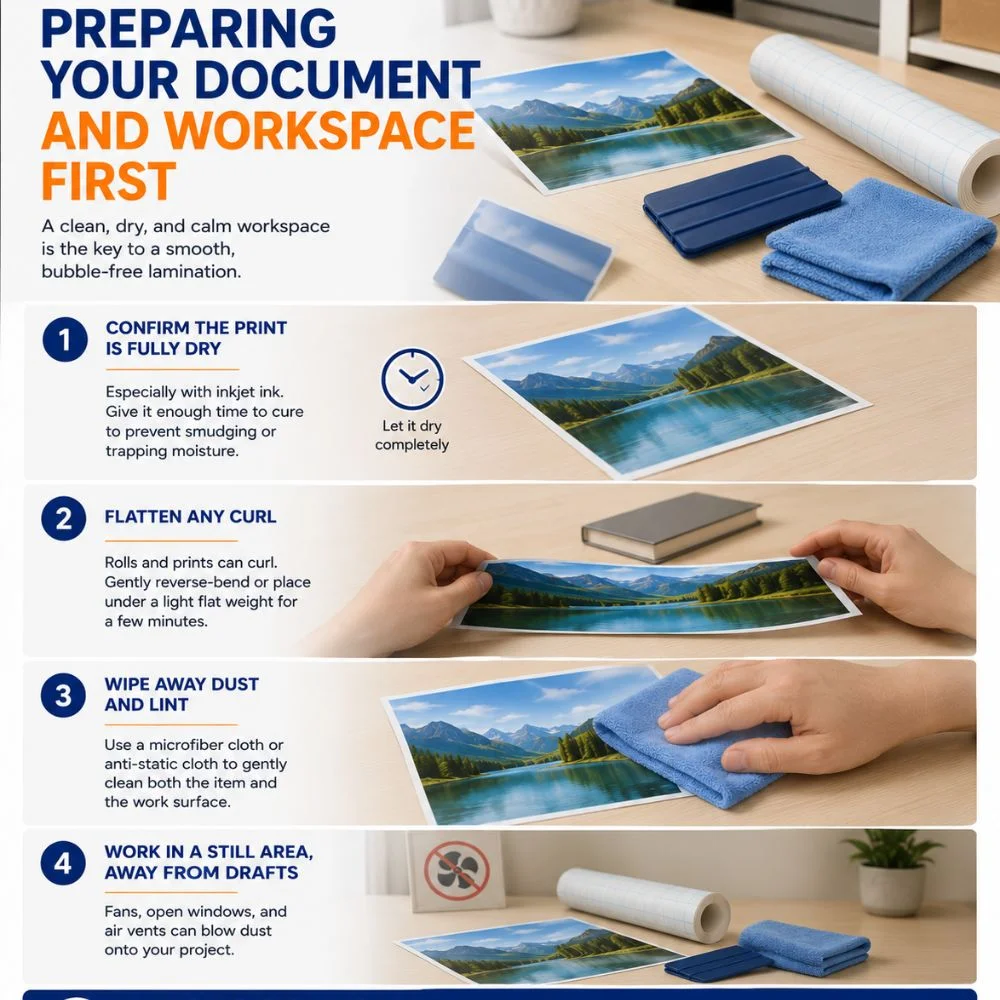
Good preparation decides how clean the final result looks. A few minutes of setup prevents the dust specks and bubbles that ruin a rushed job. Start with a clear, hard surface and a document that is fully dry and flat.
Take care with freshly printed pages before you laminate them. Let inkjet prints dry completely, since wet ink can smear under the adhesive, and flatten any curl in the paper first. Wipe both the document and your work surface with a lint-free cloth so nothing gets sealed in:
- Confirm the print is fully dry, especially with inkjet ink
- Flatten any curl so the film lies down evenly
- Wipe away dust and lint from both the item and the surface
- Work in a still area, away from drafts that carry dust
What You Need for Cold Laminating Film Without Machine Assembly
A successful cold laminating film without machine assembly needs only a few common items. None of them requires power, and most are already on a desk or in a drawer. Gathering them first makes the application smooth and unhurried.
Here is the simple toolkit for hand lamination:
- Cold laminating film, in a roll or pre-cut sheet
- A flat smoothing tool: a squeegee, credit card, or ruler
- A clean, hard, flat work surface
- Scissors or a craft knife for trimming
- A soft, lint-free cloth to clean the document first
The smoothing tool is the one item worth choosing with care. A proper squeegee covers more area per stroke, but a credit card works well and is always within reach. Wrapping the edge of a card in a thin cloth helps it glide without scratching a glossy film surface.
Sourcing cold film by the roll for repeat projects? See Vizlent cold lamination film in clear gloss and matte finishes for hand or machine use.
How to Use Cold Laminating Film Without Machine: Step by Step
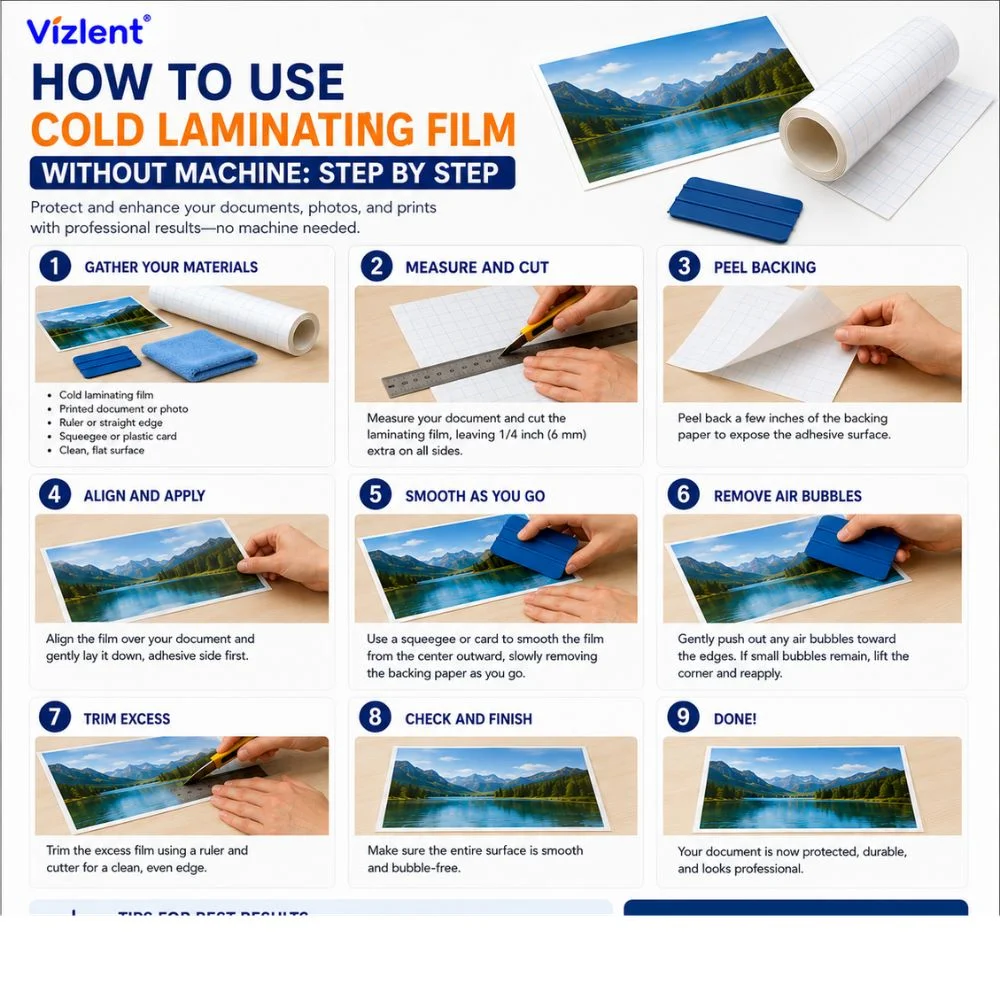
The full method for how to use cold laminating film without machine breaks down into a few clear steps. The key is to work slowly and let the smoothing tool push out air ahead of the film. Follow these steps in order for a clean, bubble-free result:
- Step 1: Clean the document and your work surface so no dust gets trapped
- Step 2: Cut the film slightly larger than the item, leaving a small margin
- Step 3: Peel back about an inch of the release liner along one edge
- Step 4: Align that sticky edge over the document and press it down first
- Step 5: Slowly pull the liner away under the film as you press forward
- Step 6: Smooth with a squeegee or card in one direction, pushing air out
- Step 7: Trim the excess film around the edges for a clean finish
The hinge technique makes this even easier for beginners. Anchor one edge first, then work across so the film lies down gradually instead of all at once. This single habit prevents most of the bubbles and misalignment that trouble first-time users.
Pressure and direction are the two details that separate a clean job from a messy one. Always smooth from the anchored edge outward, never from both ends toward the middle, since that traps air in the centre. Use firm, overlapping strokes with the card held at a low angle so it sweeps air ahead of the film.
Using Cold Film With or Without a Printer or Machine
Some buyers ask about cold laminating film without machine and printer in the same breath. The two are separate steps: you print the document on any printer first, then laminate it by hand afterward. Cold film protects the print, so a finished inkjet or laser page is simply sealed once it is dry.
The phrase cold laminating film without machine and machine points to the same flexibility. You can apply the film entirely by hand, or feed it through a roll laminator for speed on larger runs. Either path uses the same film, so your choice depends only on volume and the tools you have:
- By hand: best for small jobs, signs, photos, and one-off pieces
- With a roll laminator: faster for large sheets and high volume
- Either way: the film and adhesive are identical, so quality is the same
Seeing the two methods side by side helps you decide for any given job. Hand application wins on cost and flexibility, while a machine wins on speed for volume. This comparison sums up the trade-off:
| Factor | By Hand | With a Machine |
|---|---|---|
| Cost | No equipment needed | Laminator required |
| Best volume | Small to moderate | High volume |
| Large sheets | Slower, needs care | Fast and even |
| Finish quality | Excellent with practice | Consistent |
Cold Laminating Film Rolls and Cold Laminating Paper
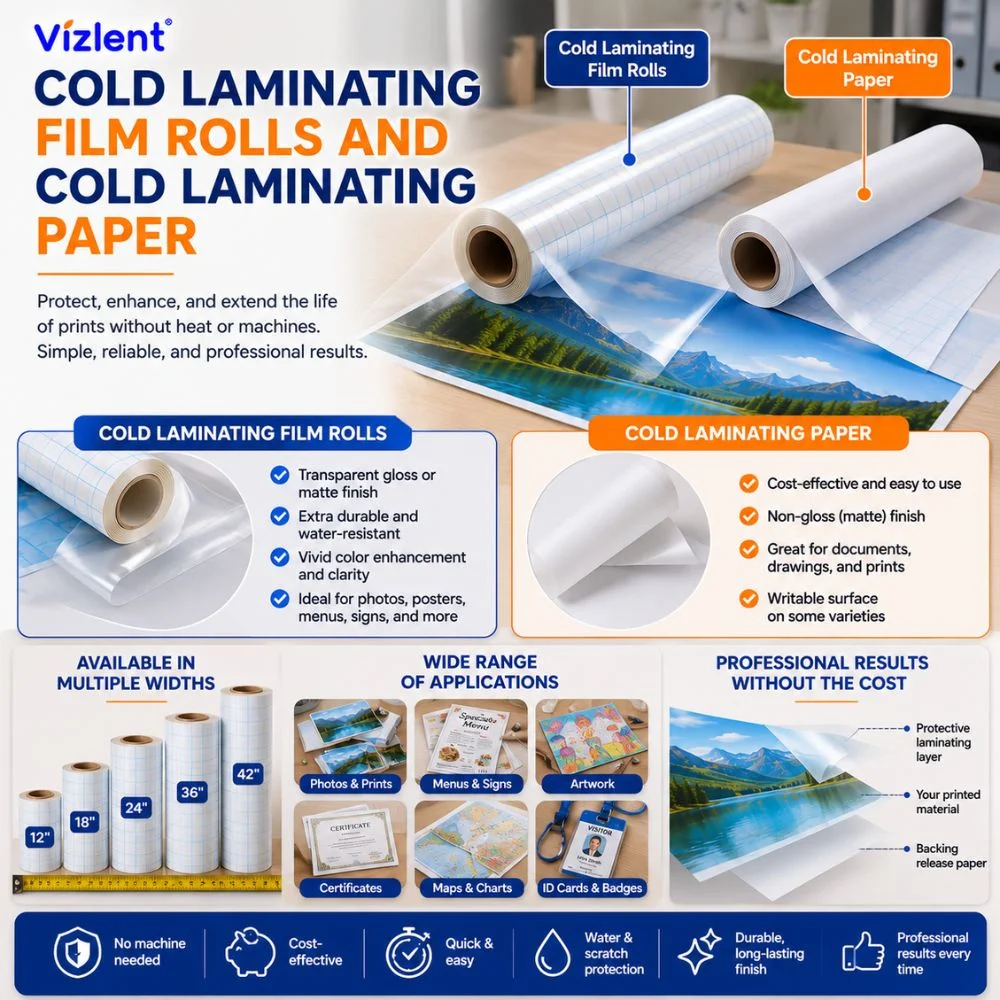
Cold laminating film rolls are the most economical format for regular use. A roll lets you cut exactly the size you need, which reduces waste on mixed projects. Pre-cut sheets and pouches are handy for occasional, single-document jobs.
People sometimes mix up cold laminating paper with clear film. Cold laminating paper usually refers to a self-adhesive backing or a paper-lined cold film, while the laminate itself is a clear plastic layer. For protecting and displaying printed work, the clear film is what seals and shields the surface.
Finish is the other choice to make when buying rolls. Gloss film boosts colour and shine for photos, while matte film cuts glare for signs and documents read up close. Both apply the same way by hand, so the decision is about look, not technique.
When a Cold Laminating Film Machine Helps
A cold laminating film machine earns its place once volume climbs. A roll laminator applies even pressure across wide sheets, which is hard to match by hand on large pieces. For banners, posters, and bulk runs, the machine saves time and gives a consistent finish.
For most home and small-office needs, though, hand application is enough. The film performs identically when pressed by a squeegee or a powered roller. So the machine is a convenience for scale, not a requirement for quality.
It also helps to weigh the cost before buying equipment. A roll laminator is a worthwhile investment only if you laminate large volumes regularly. For occasional projects, the money is better spent on good film and a simple smoothing tool.
Fixing Bubbles and Common Problems
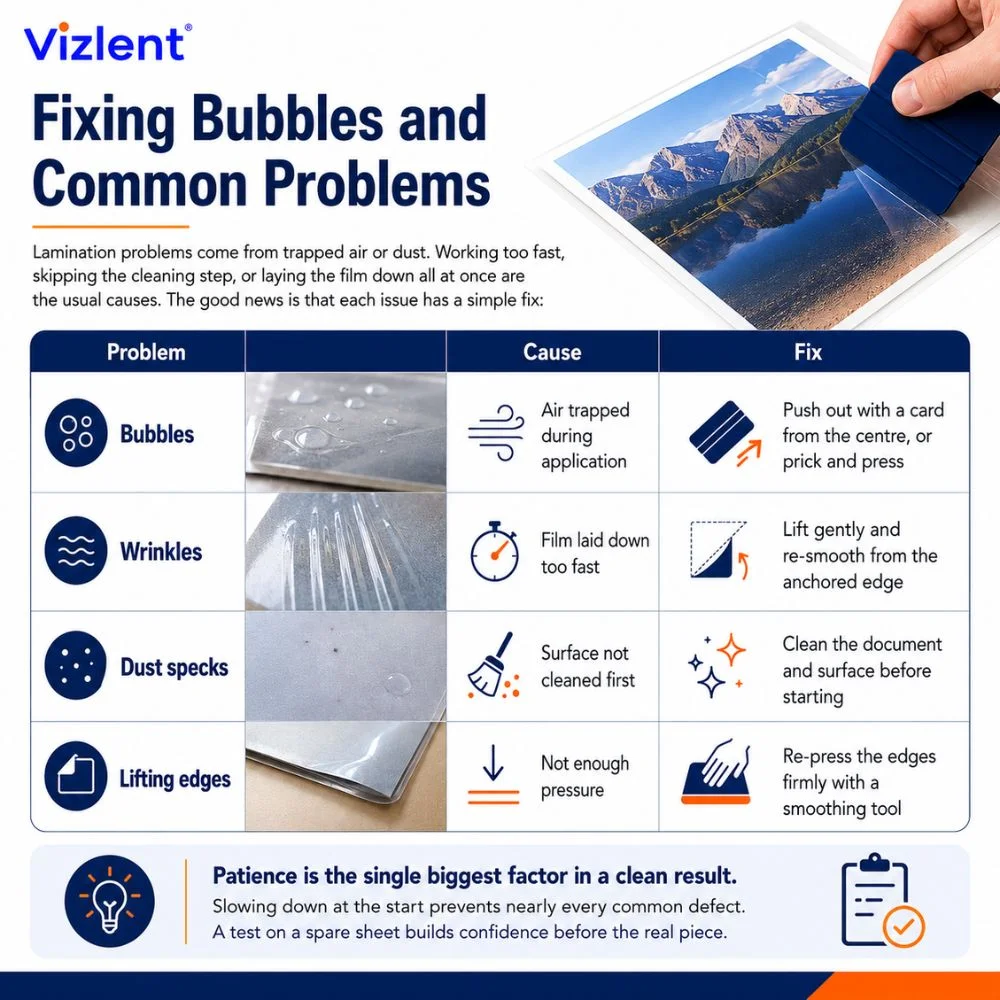
Most hand-lamination problems come from trapped air or dust. Working too fast, skipping the cleaning step, or laying the film down all at once are the usual causes. The good news is that each issue has a simple fix:
| Problem | Cause | Fix |
|---|---|---|
| Bubbles | Air trapped during application | Push out with a card from the centre, or prick and press |
| Wrinkles | Film laid down too fast | Lift gently and re-smooth from the anchored edge |
| Dust specks | Surface not cleaned first | Clean the document and surface before starting |
| Lifting edges | Not enough pressure | Re-press the edges firmly with a smoothing tool |
Patience is the single biggest factor in a clean result. Slowing down at the start prevents nearly every common defect. A test on a spare sheet builds confidence before the real piece.
Small bubbles often work themselves out, so do not rush to fix every one. A tiny air pocket can be pricked with a pin and pressed flat, and many settle on their own within a day. For a larger bubble, lift the nearest edge gently, smooth the film back down, and the trapped air escapes.
Projects You Can Laminate by Hand
Hand lamination opens up a wide range of everyday projects. Because cold film needs no heat, it protects items that a hot laminator could warp or melt. That makes it a favourite for photos, signage, and craft work alike.
These are some of the most common pieces people seal by hand:
- Photos and artwork that are heat-sensitive could fade or curl
- Signs and notices that need a wipe-clean, water-resistant surface
- ID cards, badges, and bookmarks
- Printed labels on self-adhesive material for a tougher, sealed finish
- School projects, recipe cards, and reference sheets
The same method scales from a single card to a small batch. For repeat work, cutting several pieces from a roll keeps the cost per item low. A little practice on scrap film makes each project faster and cleaner than the last.
Get Cold Laminating Film for Easy Hand Application
Cold film makes protecting documents simple, with or without a machine. Vizlent manufactures cold lamination film in clear gloss and matte finishes, supplied in rolls and sheets for hand or roll-laminator use. Share your project size and finish, and the right film gets matched to the job.
Talk to the Vizlent team about cold lamination film or browse laminating film options to get started today.
Frequently Asked Questions
How do you use cold laminating film without a machine?
To use cold laminating film without a machine, clean the document, peel back part of the release liner, and align the sticky edge over the item. Press it down, then slowly remove the liner while smoothing with a card or squeegee. Trim the excess for a clean, sealed finish.
Can I use cold laminating film without a machine at home?
Yes, cold laminating film is designed for hand application and works well at home. Its pressure-sensitive adhesive needs no heat, so a credit card or ruler supplies enough pressure. Hand application suits signs, photos, ID cards, and small craft projects.
What is cold laminating film made of?
Cold laminating film is a clear plastic film coated with a pressure-sensitive adhesive and protected by a peel-off release liner. The adhesive bonds with pressure alone, so no heat is needed. This makes it safe for heat-sensitive items like inkjet prints and photos.
What tools do I need to apply cold laminating film by hand?
You need the cold laminating film, a flat smoothing tool such as a squeegee or credit card, a clean flat surface, scissors or a craft knife, and a lint-free cloth. None requires power. Cleaning the item first prevents trapped dust under the film.
How do I avoid bubbles when laminating by hand?
Avoid bubbles by cleaning the surface, peeling the liner gradually, and smoothing the film in one direction as you go. The hinge technique, anchoring one edge first, helps the film lay down evenly. Push any trapped air toward the nearest edge with a card.
Is cold laminating film better than hot lamination?
Cold laminating film is better for heat-sensitive items like inkjet photos, vinyl, and thermal prints, since it uses no heat. Hot lamination is faster and cheaper for plain paper documents. The right choice depends on the material and if heat could damage it.
Can I laminate a printed page without a machine and printer setup?
Yes, you print the page first on any printer, then laminate it by hand once the ink is dry. The cold film simply seals and protects the finished print. No special machine or printer integration is needed for the lamination step.
Do cold laminating film rolls work without a laminator?
Yes, cold laminating film rolls work entirely by hand without a laminator. You cut the size you need from the roll and apply it with pressure using a smoothing tool. Rolls are economical because you waste less film on mixed-size projects.